
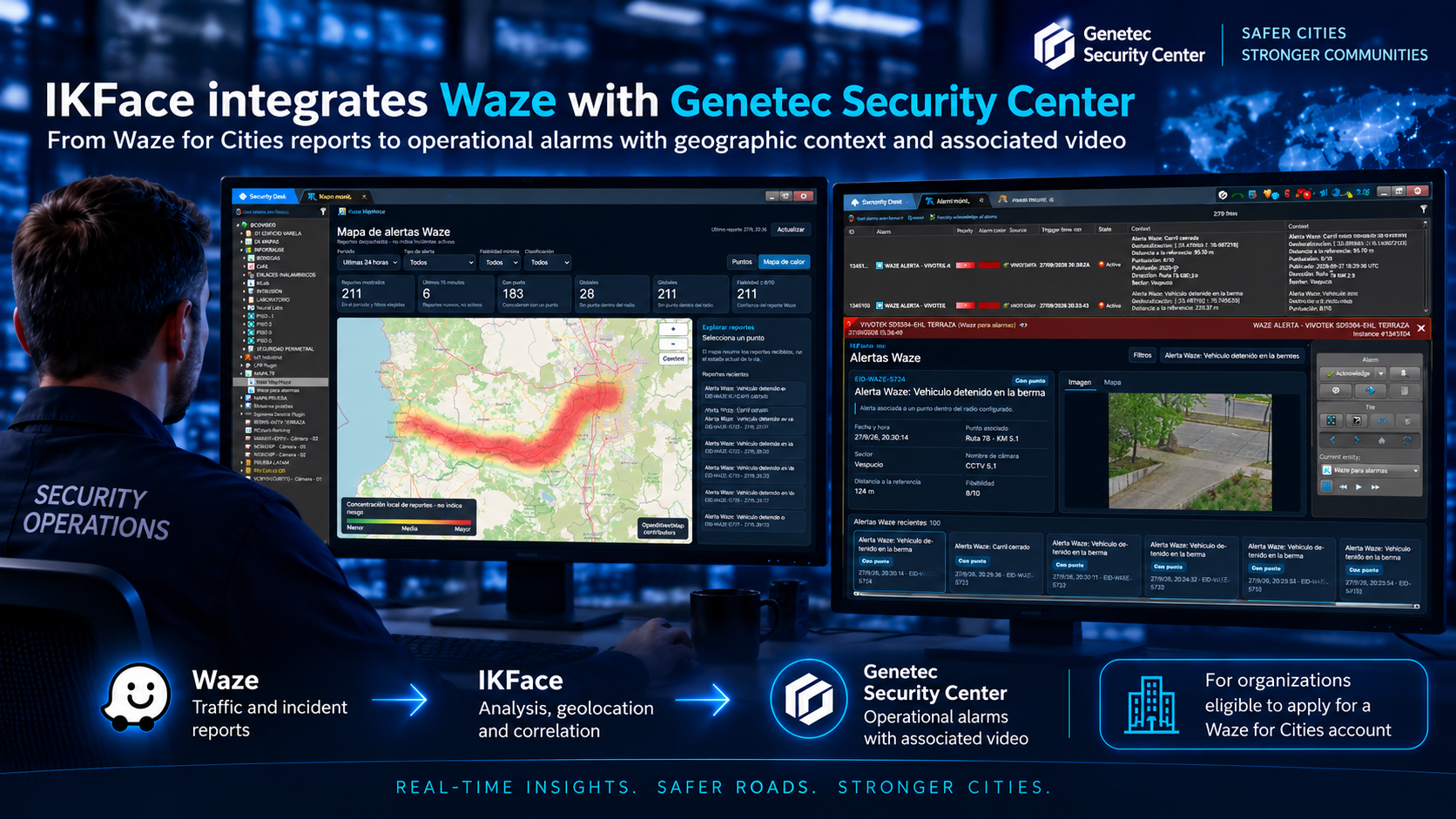
Waze information can provide valuable insight into accidents, congestion, stopped vehicles, hazards, and other incidents reported by the community. IKFace adds a new module that processes this feed and turns relevant reports into operational events which, depending on configuration, can generate alarms in Genetec Security Center.
From the street to the monitoring center
How does the integration work?
IKFace periodically queries the configured Waze feed and validates every report before turning it into an event.
Query
Periodically retrieves new reports available in the configured feed.
Filtering
Selects the incident types enabled for the operation.
Reliability
Checks the minimum confidence level defined for each report.
Freshness
Controls report age to prevent outdated events.
Correlation
Geographically compares the report with points configured in IKFace.
Distance
Calculates proximity to the monitored reference point.
Video
Associates a camera when one is linked to the point.
Traceability
Records and retains the event in IKFace.
Alarm
Generates an alarm in Genetec Security Center when applicable.
Context in Security Desk
Information for quickly assessing the situation
Location
Shows where the report occurred and how it relates to the monitored point.
Incident type
Accident, congestion, hazard, stopped vehicle, or another available category.
Distance
Shows how close the report is to the configured point.
Reliability
Presents the quality or confidence level associated with the report.
Date and time
Helps determine whether the received information is still current.
Associated camera
Connects the incident with available video infrastructure.
Geographic context
Explains where the event occurred and its relationship to the monitored area.
One operating environment
Information reaches the operator’s workflow
Operators do not need to continuously monitor separate platforms. IKFace processes external information and brings it into the existing security workflow in Genetec Security Desk.
A traffic report can complement cameras, sensors, and other systems to verify a situation, direct a camera, or better understand what is happening in a specific area.
Verifiable history
Complete event traceability
IKFace preserves the relationship between the original report and its operational outcome.
More context for decisions
A new information source for monitoring centers
Waze
Reports what is happening on public roads through traffic and incident information.
IKFace
Filters, validates, geolocates, correlates, and transforms the information into an operational event.
Genetec Security Center
Lets operators manage the alarm in their familiar environment, with associated video when available.
Operational intelligence
From external information to a coordinated response
The integration is designed for monitoring centers, urban security projects, traffic management, and Smart City solutions. It turns data generated outside the video surveillance system into context available directly to security operations.
Waze report → EID-WAZE event in IKFace → Alarm in Genetec Security Center.
Turn external reports into operational intelligence.
Integrate Waze, IKFace, and Genetec Security Center to add geographic context and video to the monitoring center workflow.